
Features
Time tracking and project clarity
Capture time as you work, connect it to projects and tasks, and turn everyday activity into useful information for billing, reporting, planning, and more.
Time Tracking
Capture time as you work
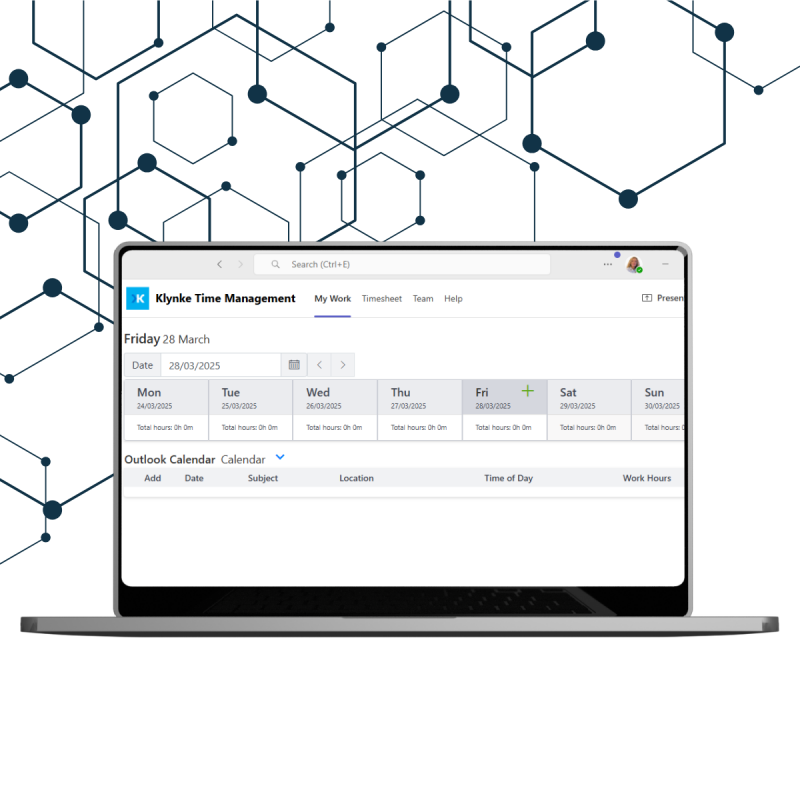
Track time consistently and keep every entry connected to the project, task, and activity it belongs to.
Klynke lets you track time across projects, teams, tasks, and other business activities. Each entry can include the information you need for reporting and billing.
See where time goes, how projects are progressing, and where attention may be needed without adding unnecessary administration:
- Which projects take the most time
- How much time is billable versus internal
- How time is distributed across different activities
- Where actual time differs from planned or expected time
Structured time data gives you a clearer basis for billing, reporting, and planning.


Project Clarity
Keep projects on track
Bring project information, time, and progress together so you can see what is happening and where attention is needed.
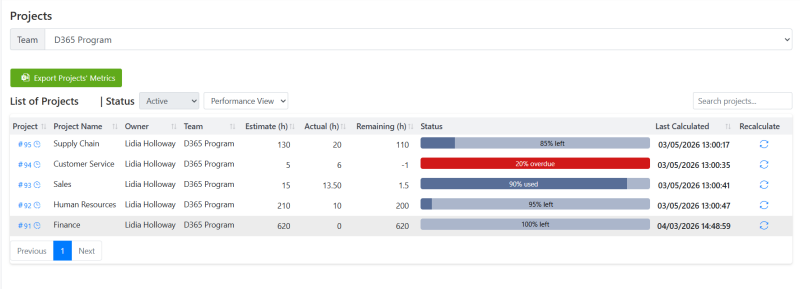
Compare estimated and actual time to identify differences early and understand how work is progressing.
One clear view of your projects
See project progress, workload, responsibilities, deadlines, and recorded time in one place.
Give project managers the information they need to monitor work and teams a clear view of what needs their attention.
Timesheets
Make timesheets fit your workflow
Review, organize, filter, approve, and export time data in a way that fits your organization.
Export your time data to Excel for:
- Billing
- Reporting
- Further analysis
Find the information you need by employee, project, task type, date range, and other available criteria.

Reporting & Insights
Turn tracked time into useful information
Understand and compare time data across projects, employees, task types, billing codes, and reporting periods.

Workload & Capacity
Understand how work is distributed
See assigned work, deadlines, project progress, and recorded time together to better understand workload and capacity.
Keep workloads visible.
Review assigned tasks, deadlines, project progress, and recorded time to identify workload imbalances and areas that may need attention.
Who is Klynke For?
Built for teams that need clarity without complexity
Klynke is designed for organizations that need reliable time and project information while keeping their teams working in the Microsoft 365 environment they already know.
Professional services
Track accurate, billable time across projects, customers, and activities, making billing and reporting easier.
IT & technical teams
Capture consistent time data across development, support, projects, sprints, meetings, and other technical activities.
Operations & project teams
Get clearer visibility into project progress, workload, capacity, deadlines, and team hours.
Organizations with compliance requirements
Maintain structured time and project information within your Microsoft environment, with appropriate access controls and reporting.
